
 Monster System
# I. Temporary Monster Spawn Feature
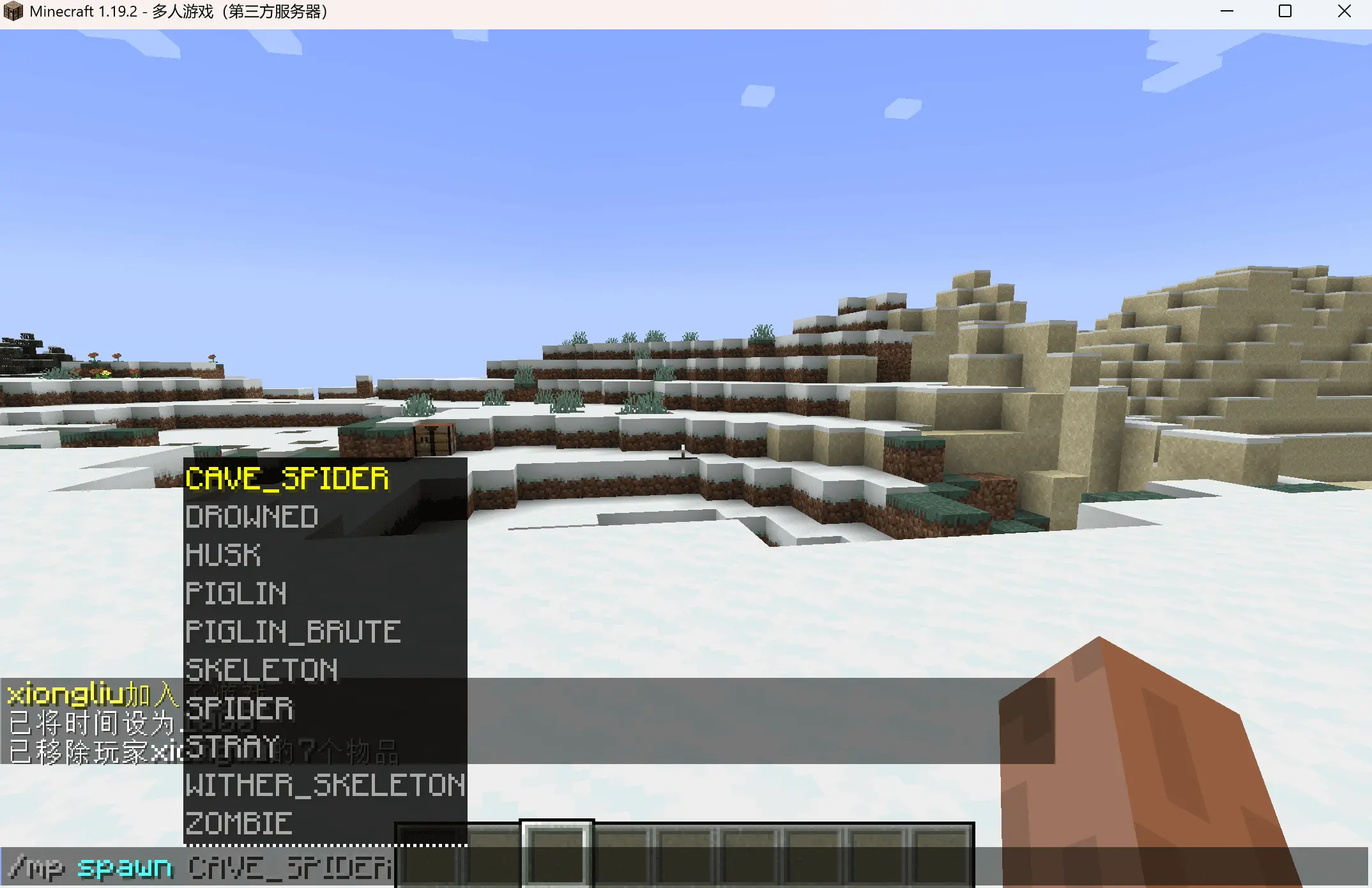
Step 1: Select the monster type to spawn via command
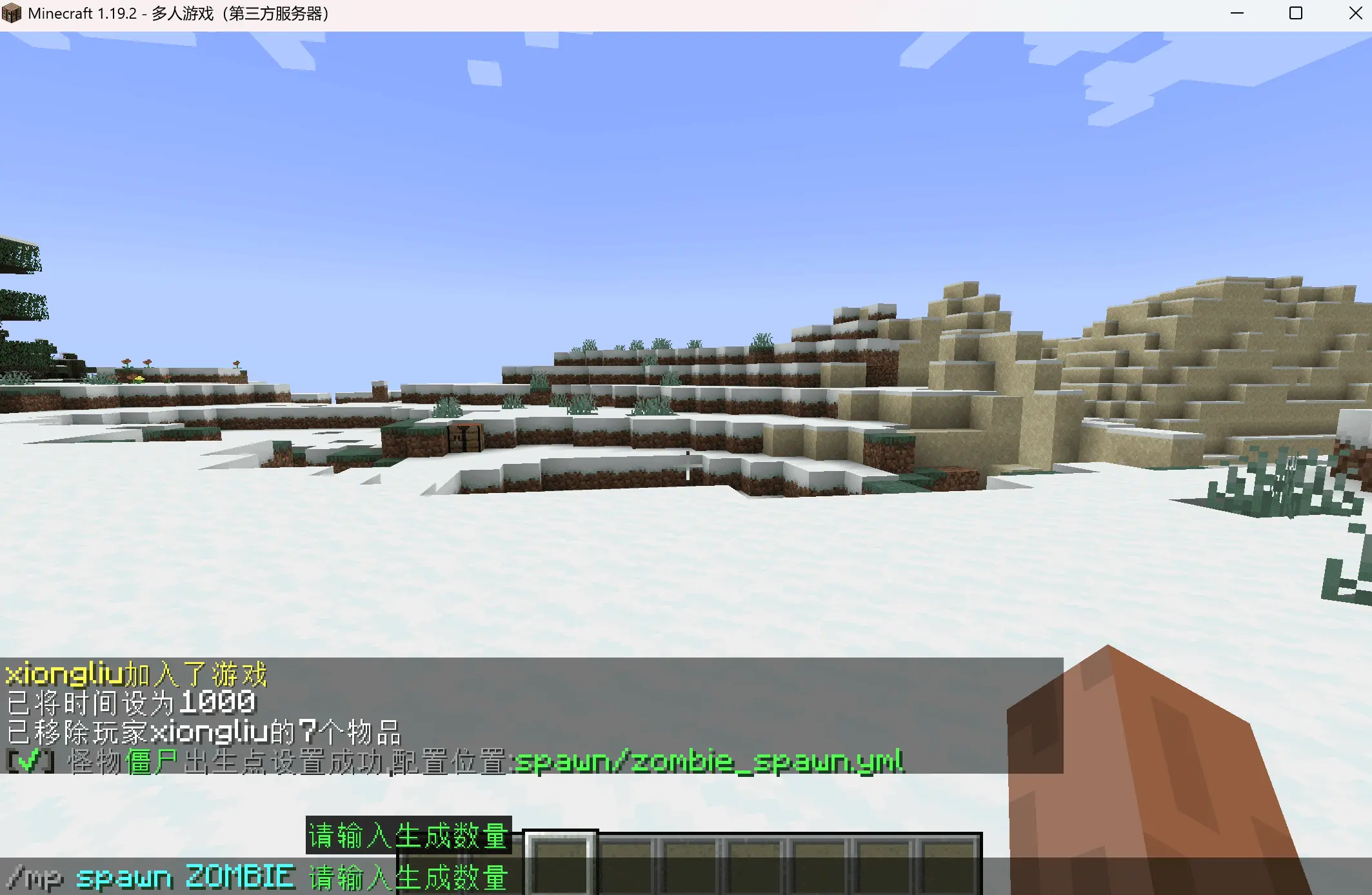
Step 2: Select the quantity of monsters to spawn via command
# II. Monster Template Configuration Feature (mobs)
Configuration folder location: mobs
Used to define monster basic abilities
# Configuration Example
# This is a template example file (mobs)
# Used to define monster abilities, does not include spawn coordinates and time

# Template key, use pure key (globally unique)
TestTemplate:
  # Monster type
  entityType: ZOMBIE
  # Display name
  displayName: "Test BOSS"
  # LibsDisguises player name disguise
  skinName: ""
  # Drop items
  drops:
    - "DIAMOND: 10: 0.5"
    - "[ITEM]example.yml_woodenSword: 1: 0.5"
  # Skills
  skills:
    - "attackArrow.yml"
    - "attackBlitz.yml"
  # Add extended attributes, supported attribute plugins see buffType in config
  apAttributes:
    - "Physical Damage: 100"
  # Vanilla attributes
  attributes:
    - "GENERIC_SCALE: 1"
  # Whether to disappear when far from player, true = disappear
  removeWhenFarAway: true
  # Spawn notification
  spawnMessages:
    - "${name} has appeared!"
  # Death notification
  deathMessages:
    - '&e-----------------------------------------------------'
    - '&c${name} &7has been defeated'
    - '&7   Top &c1st&7 place: &f${onePlayer} &7dealt &c${oneDamage} &7damage'
    - '&7   Top &62nd&7 place: &f${twoPlayer} &7dealt &6${twoDamage} &7damage'
    - '&7   Top &e3rd&7 place: &f${threePlayer} &7dealt &3${threeDamage} &7damage'
    - '&4Finisher: &f${killer}'
    - '&e-----------------------------------------------------'
# Configuration Details
# 1. Basic Configuration
- entityType: Monster type (e.g., ZOMBIE, SKELETON, CREEPER, etc.)
- displayName: Monster display name, supports color codes
- skinName: LibsDisguises player name disguise (optional)
# 2. Drop Configuration (drops)
# 3. Skill Configuration (skills)
# 4. Attribute Configuration
apAttributes (Extended Attributes):
- Supports third-party attribute plugins
- Supported plugins include:
attributes (Vanilla Attributes):
- Uses Minecraft native attribute system
- Common attribute types:
GENERIC_MAX_HEALTH: Max healthGENERIC_ATTACK_DAMAGE: Attack damageGENERIC_MOVEMENT_SPEED: Movement speedGENERIC_SCALE: Size scaleGENERIC_ARMOR: Armor value- For more attributes, refer to the complete list in the item system
# 5. Behavior Configuration
- removeWhenFarAway: Whether to disappear when far from player
true: Disappearfalse: Remain
# 6. Message Configuration
spawnMessages (Spawn notification):
- Supports variables:
${name}(monster name) - Can configure multiple messages
deathMessages (Death notification):
- Supports variables:
${name}: Monster name${onePlayer},${twoPlayer},${threePlayer}: Top 3 damage players${oneDamage},${twoDamage},${threeDamage}: Corresponding damage values${killer}: Finisher
- Supports color codes (&+color letter)
# Usage Scenarios
- Dungeon BOSS Battle: Create a powerful BOSS template, combined with the fixed spawn feature in the spawn folder
- Event Monsters: Quickly generate monsters with special abilities for server events
- Custom Challenge: Design unique monster combinations and drops
# Notes
- mobs templates only define monster abilities, do not include spawn coordinates and time
- For fixed spawn points, use in combination with the spawns folder
- Template keys must be globally unique and cannot be duplicated
- Drop probability range: 0.0-1.0 (0=0%, 1=100%)
- Skill files must exist in the skill folder
# III. Open World Random Monster Enhancement Feature
- Can specify world to generate monsters of different levels
- Can customize level bonuses
- Can customize random equipment generation probability
- Can customize equipment drop rate
- Can configure to become stronger the farther from specified location
- Can generate random skills based on level (1.1.8+)
- Can generate random drops based on level (1.1.8+)